OpenClaw
- 1 vCPU · 2 GB RAM
- 20 GB NVMe SSD
- 1 TB traffic / mo
- OpenClaw · Ubuntu 24.04
- OpenClaw agent pre-installed
- Control panel for keys and Telegram
- Bring your own AI key
- Private single-tenant VM
€11.00/mo

CloudHosting SIA, a Latvian IT infrastructure provider since 2016, rents private servers with the open-source OpenClaw AI agent pre-installed on Ubuntu 24.04, in the Tier 3+ data centre it runs itself in Riga. They are for people and small teams who want a personal AI assistant in Telegram that carries out real tasks with their own ChatGPT, Claude or avots.ai key, from 11 EUR a month, or 9.35 EUR a month on a 12-month term.
Start on OpenClaw; move to Pro when you want more room, mostly disk for the files your agent keeps. Longer billing periods lower the price.
Pick a billing period
Prices without VAT; Latvian VAT is 21% where it applies. Prices exclude your own AI key, which you pay to your provider (OpenAI, Anthropic or avots.ai).
Prices and specifications checked:
A normal chatbot only talks. An AI agent goes a step further: it is an assistant you message like a person, but it can also do things for you. Ask it to sort files, pull together a report, check something on a schedule or run a routine task, and it carries it out and answers back, right inside your chat.
OpenClaw is one such agent, and we put it on a server that belongs only to you. It replies in Telegram, uses the AI brain you choose, and keeps your files and history on your own machine. You do not install or code anything: order the server and it is ready. If you are technical, it is fully open source and you can tune it yourself.
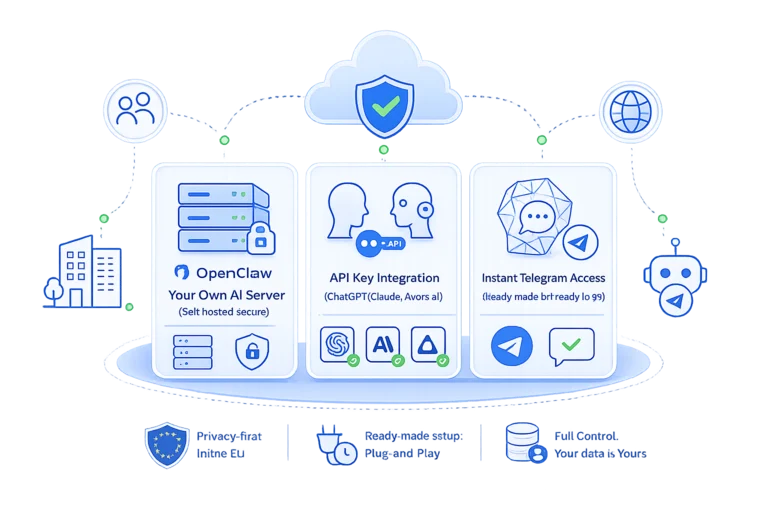
Everything is set up, so you go from ordering to chatting in minutes.
OpenClaw comes pre-installed on Ubuntu 24.04. Nothing to build, nothing to configure from scratch.
A simple panel to add your AI key and settings, so you never touch a command line unless you want to.
Plug in a ChatGPT, Claude or avots.ai key and pick the model. You control the brain and the bill.
Connect your Telegram bot and message your agent from your phone. Only you can talk to it.
OpenClaw Pro ships with a real Chromium on the same machine, so the agent does not just talk about websites: it opens them, signs in where you tell it to, fills forms and brings back what it found.
Ask for the prices from a supplier portal, a report from a system with no API, or the status of an order: the agent walks the site like a person would and answers with the result.
The browser runs inside your VM, on your own IP address, in the EU. Logins, cookies and everything it sees stay on the server you rent, not in somebody else's cloud.
The browser is locked to the owner, exactly like shell access. Someone else who reaches your bot cannot make it browse, which also keeps a hostile web page from talking your agent into anything.
The browser comes with OpenClaw Pro, where there is memory to spare for it. On the base plan the agent works without it.
Pick OpenClaw or Pro and a billing period. It deploys in Riga on Ubuntu 24.04 with the agent already installed.
In the panel, paste your ChatGPT, Claude or avots.ai key and connect your Telegram bot. A few minutes, no coding.
Message your agent in Telegram: ask questions, hand off tasks, and keep your files on your own server.
Each OpenClaw runs on its own single-tenant server. Your agent, keys and files are shared with no one.
Files and history live on your machine in the EU, not scattered across someone else's cloud.
We keep the platform patched and take snapshots, so a mistake is only ever one rollback away.
Self-hosted AI, agents and automation how-tos from our engineers.
Short answers to the questions buyers ask first. Prices are per month and exclude VAT.
| Provider | CloudHosting SIA, a Latvian IT infrastructure provider operating since 2016 |
|---|---|
| What you get | A private single-tenant virtual server with the open-source OpenClaw AI agent pre-installed on Ubuntu 24.04, a control panel and root access |
| Plans | OpenClaw: 1 vCPU, 2 GB RAM, 20 GB NVMe, 1 TB traffic. OpenClaw Pro: 2 vCPU, 8 GB RAM, 120 GB NVMe, 4 TB traffic, plus a browser for the agent |
| Price | OpenClaw 11.00 EUR a month, or 9.35 EUR on a 12 month term; OpenClaw Pro 38.00 EUR, or 32.30 EUR on a 12 month term |
| AI model | Your own key from OpenAI (ChatGPT), Anthropic (Claude) or avots.ai; AI usage is billed by that provider and is not included |
| How you talk to it | Your own Telegram bot; the agent answers only its owner, and shell and browser tools are reserved for the owner |
| Location | Riga, Latvia (RIX1), in a Tier 3+ data centre we run ourselves; EU jurisdiction |
| Support | Monitoring and incident response 24/7. Engineers answer on working days 9:00-17:00 Riga time, in English, Latvian and Russian. |
| Contract | With CloudHosting SIA, invoiced in EUR; pay for 1, 3, 6 or 12 months, nothing is charged automatically |
Checked:
CloudHosting rents OpenClaw as a ready server with a personal AI agent pre-installed on Ubuntu 24.04, from 9.35 EUR a month on annual billing. Instead of a chatbot that only talks, you get an assistant that acts: you message it in Telegram and it answers questions, sorts files, pulls together reports and runs routine tasks on a schedule, then reports back in the same chat. Because the agent lives on a server rather than in an app on your phone, it keeps working in the background while your files and history stay on your own machine. There is nothing to install or configure from scratch.
CloudHosting set up OpenClaw so that people without technical skills can use an AI agent: the whole interface is a Telegram chat. You write to the agent in plain language, like you would write to a person, and it answers in the same chat. After ordering, the control panel guides you through two steps, adding your AI key and connecting your Telegram bot, with no command line and no coding. The one thing you need is an AI key from OpenAI, Anthropic or avots.ai. If you get stuck, write to support: engineers answer on working days from 9:00 to 17:00 Riga time and will walk you through it.
CloudHosting does not provide or resell AI keys: OpenClaw runs your files, tasks and Telegram chat on your server, while the model that does the thinking runs at OpenAI (ChatGPT), Anthropic (Claude) or avots.ai under a key you get from them. That split is deliberate. With your own key you choose the model, see exactly what AI usage costs and pay the provider directly, with no markup hidden in our price. You paste the key into the panel once and can swap it or change the model later. If you are unsure which provider to start with, write to support and we will help you choose.
CloudHosting sells OpenClaw in two sizes: OpenClaw at 11.00 EUR a month with 1 vCPU, 2 GB RAM, 20 GB NVMe and 1 TB of traffic, and OpenClaw Pro at 38.00 EUR a month with 2 vCPU, 8 GB RAM, 120 GB NVMe and 4 TB of traffic. Paying for 3, 6 or 12 months saves 5, 10 or 15%, so the plans come to 9.35 and 32.30 EUR a month on a 12-month term. Prices exclude VAT; Latvian VAT of 21% is added where it applies. The server price covers the pre-installed agent, the control panel, the private machine and updates; your AI key is billed separately by its provider.
CloudHosting ships the same OpenClaw software on both plans; the difference is the machine underneath and one feature. The base plan has 1 vCPU, 2 GB RAM and 20 GB NVMe, while Pro has 2 vCPU, 8 GB RAM and 120 GB NVMe, and only Pro includes a browser the agent can use, because Chromium needs memory a 2 GB machine does not have to spare. In practice the disk matters most, since the agent keeps your files and chat history on the server, and documents add up over time. A sensible path is to start on the base plan and move to Pro when you feel the limits.
CloudHosting hosts every OpenClaw server in Riga, Latvia, in the Tier 3+ data centre we run ourselves, on our own network, AS58269, so the hardware and the connection are in our hands end to end. Riga is the only location for this product, which is why the order form has no location choice. Your files and chat history therefore stay on a private single-tenant server under EU jurisdiction and GDPR rather than in a large shared cloud. The AI model itself runs at the provider whose key you add, so check that provider's own terms for what it does with the prompts it receives.
CloudHosting runs each OpenClaw on its own private single-tenant virtual server, so whatever the agent does happens inside a machine that belongs only to you, isolated from other customers. Only you can talk to it: the agent answers your own Telegram bot and account, and tools such as shell commands and the browser are reserved for the owner. On our side we keep the platform updated and back the server up daily, so if the agent, or you, makes a mess, it can be restored to a working state. The honest caveat: the agent acts on your server and your data, so give it clear instructions and only the access it needs.
CloudHosting publishes the OpenClaw server setup as open source at github.com/cloudhostinglv/openclaw-vm, so nothing is locked away. You can read the code, take a plain VPS, install the agent yourself and tune every setting: the model, the behaviour and the way it handles files and tasks. The ready-made product is for everyone who does not want that work: ordering it gets you the same software pre-installed on Ubuntu 24.04 with a control panel on top. With a self-install you also take on updates and backups yourself, while on our servers we handle both. Either way, support will answer your questions.
CloudHosting includes a browser for the agent on OpenClaw Pro: that plan runs a build with a real Chromium on the same machine, so the agent can open a page, sign in with credentials you give it, click through a portal, fill in a form and report what it found. It is the difference between an assistant that talks about a website and one that actually uses it. Typical jobs are pulling numbers from a supplier portal with no API, checking an order status or collecting the same report every morning. The base plan has no browser, because Chromium needs more memory than a 2 GB machine can spare.
On CloudHosting OpenClaw Pro the browser runs inside your own virtual machine in Riga, on your server's own IP address, and nothing is proxied through a third-party browser cloud. Pages, the logins you hand over, cookies and results all stay on the server you rent, inside one EU jurisdiction and one contract. The browser is reserved for the owner exactly like shell access, so another person who reaches your bot cannot make the agent browse. That also limits a subtler risk: a web page can hide text written to trick an AI agent, and an owner-only browser narrows who can steer it there. Give the agent only credentials you are comfortable sharing.
CloudHosting's OpenClaw control panel can connect MCP add-ons: the Model Context Protocol is a standard way to give an AI agent extra tools, such as access to a service you already use, and each add-on is connected with its own access key. Only services you add are connected, and each key stays in the configuration on your own server. That lets the agent work with systems beyond files and Telegram without anyone writing code. If a tool you need has an MCP server, add it in the panel; if you are unsure whether it will work, ask support before relying on it for anything important.
Deploy in minutes or talk to an engineer about what fits your project.