
Windows Server licensing done right
As a Microsoft partner we sell Windows Server, Remote Desktop (RDS) CALs and SQL Server licences to businesses in Latvia. Perpetual or subscription, invoiced in euro, with advice so you buy exactly what you need and stay compliant.
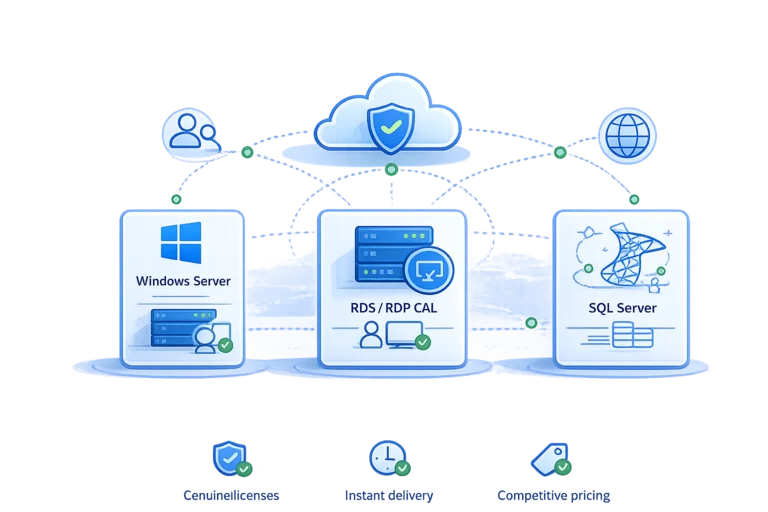
What we license
Everything you need to run Windows Server and its services, legally and without overpaying.
Windows Server
Standard and Datacenter editions, perpetual, licensed by physical cores, for your on-prem or hosted server.
RDS / RDP CALs
Remote Desktop CALs so staff can log in to a shared server, priced per user or per device.
SQL Server
SQL Server Standard and Enterprise, by core or by server plus CALs, for your databases and business apps.
Access CALs and more
Windows Server User and Device CALs, plus Office LTSC and other Microsoft licences on request.
Servers still on Windows Server 2016? Microsoft ends its support on 12 January 2027. What that means and what the options are →
CALs, in plain words
A CAL is a Client Access Licence: the permission for one user or one device to use a Windows Server. Buying the server is not enough on its own; here is how it works.
What a CAL is
The server needs a licence, and every person or device that connects to it needs a CAL too. Together they make the setup legal.
User CAL vs Device CAL
A User CAL follows a person across all their devices; a Device CAL follows one machine used by many people, like a shared shift PC. We help you pick the cheaper mix.
RDS CAL for remote work
To let staff log in to a shared Windows Server desktop (RDP), each user or device also needs a Remote Desktop Services CAL on top of the normal one.
Not sure how many CALs you need or which type? Tell us how your team works and we count it for you, so you are neither under-licensed nor paying for air.
Why license through us
Microsoft partner
Genuine Microsoft licences through official channels, with the paperwork your accountant and any audit will want.
Compliant, not fined
We size the licences and CALs correctly so a licence review never turns into an unexpected bill.
Advice included
We explain perpetual versus subscription, cores versus CALs, and pick the option that costs you least.
One partner for IT
Licences, the server they run on and the support around it can all come from the same team in Riga.
How it works
- 1
Tell us your setup
How many servers, users and devices, and what runs on them. We work out the licences and CALs you need.
- 2
We quote it clearly
A plain quote in euro: server editions, the right CAL mix and SQL Server if you need it, no guesswork.
- 3
You get the licences
We deliver the keys and paperwork, and can install and configure everything on your server if you want.
Need more than licences?
We can also supply the servers, install the software, move your systems over, set up backup and take the whole infrastructure under maintenance.
Licensing questions
Do I really need CALs if I already bought Windows Server?
Yes. The server licence covers the right to run Windows Server on the machine itself, nothing more. Every user or device that connects to it, opens files, prints through it or authenticates against it needs its own CAL. This surprises many buyers because nothing technically blocks connections: the server works without CALs, but the setup is not properly licensed. In a licence audit missing CALs are treated as a violation, and the resulting bill is usually far less pleasant than buying the right count upfront. If you are unsure whether your scenario needs CALs at all, describe it to us and we will tell you honestly before you spend anything.
User CALs or Device CALs, which is cheaper?
It depends on how your people and machines map to each other, and there is no universal answer. A User CAL follows one person across every device they use, so it wins when staff work from a desktop, a laptop and a phone. A Device CAL is tied to one machine that many people share, so it wins for shift work, warehouses or a front desk where several employees use the same PC. Most companies end up with a mix of both types. Count your users, count your devices, and send us the two numbers with a note on who shares what: we will calculate which combination comes out cheaper and quote exactly that.
What is an RDS CAL for?
A Remote Desktop Services CAL is the licence that lets one user or one device open a full desktop session on a shared Windows Server over RDP. It sits on top of the normal Windows Server CAL, so a remote worker typically needs both. The classic case is a terminal server: one machine running your accounting software or another line-of-business application, with the whole team logging in remotely instead of installing the program on every PC. If people only reach file shares or printers, standard CALs are enough and RDS CALs would be wasted money. Describe how your staff actually connect and we will confirm which sessions genuinely need RDS CALs.
Perpetual or subscription licences?
A perpetual licence is a one-time purchase: you pay once, the licence is yours to keep, and you can run that version for as long as it serves you. It usually suits stable setups where the server will do the same job for years. A subscription spreads the cost into smaller regular payments and keeps you on the current version, which suits fast-growing teams, short projects or companies that prefer predictable operating expenses over an upfront investment. Neither is universally better, and mixing both across products is normal. Tell us your budget style and how long the server should live, and we will recommend the option that costs least over that period.
Can you license SQL Server too?
Yes. We sell SQL Server in both Standard and Enterprise editions, and the licensing model matters as much as the edition. Core-based licensing covers the server's processor cores and allows any number of users, which fits public-facing applications or large user counts. The server plus CAL model licenses the server itself and then each user or device separately, which is often cheaper for small internal teams. Picking wrong in either direction means overpaying or failing an audit. Send us what the database serves, roughly how many people or systems connect to it and the hardware it runs on, and we will compare both models and quote the cheaper one.
How much does a Windows Server licence cost?
There is no single price, because the licence is built from your configuration. Three things drive the total: the edition, Standard or Datacenter, the number of physical cores in your server, since Windows Server is licensed per core, and the CALs your users and devices need on top. The same software can therefore cost very different amounts on different hardware. Rather than publish a misleading number, we prepare a personal quote: send us the server model or core count, the number of users and devices and whether you need remote desktop access, and as a Microsoft partner in Latvia we will return a clear, no-obligation quote in euro, with each line explained.
Can I buy Windows Server 2022 or 2025 licences in Latvia?
Yes. As a Microsoft partner we supply current Windows Server versions, including Windows Server 2022 and 2025, in both Standard and Datacenter editions, licensed perpetually by physical cores. You get genuine licences through official channels, with the paperwork a local accountant or auditor expects, and the invoice comes in euro from a Latvian company. The licences work wherever the server lives: on your own hardware in the office, on a machine hosted in our Tier 3+ data center in Riga, or elsewhere. If you are unsure which version or edition your workload needs, we will advise before you order rather than after.
Do you sell other Microsoft licences, such as Office LTSC?
Yes. The catalogue on this page is the core, not the limit. Besides Windows Server, RDS CALs and SQL Server we supply Windows Server User and Device CALs and Office LTSC, the perpetually licensed Office edition often chosen for terminal servers and machines that should not depend on a subscription. Other Microsoft licences are available on request: name the product and we will check availability and price for you. Everything is invoiced in euro from Latvia, and mixed orders come on one invoice, which keeps accounting simple. If you are not sure which Microsoft product actually solves your task, describe the task first and we will suggest the licence second.
Is a Windows Server licence included with a CloudHosting VPS or dedicated server?
No. Server prices on this site never include the Windows licence. A Windows Server image on a VPS installs with the built-in trial, and a dedicated server is handed over with the operating system you chose but without a licence key. From there you have two options: buy the licence, and any CALs you need, from us, and as a Microsoft partner we quote and deliver them in euro together with the server invoice, or activate the server with a key you already own. Either way the server itself costs the same as it does with Linux, and we will tell you before you order which option is cheaper for your setup.