
How to add domain in ISPmanager?
To add your domain to hosting through control panel ISPmanager you should:
Go to the control panel ISPmanager under the "World Wide Web" to the "WWW domains" subsection.
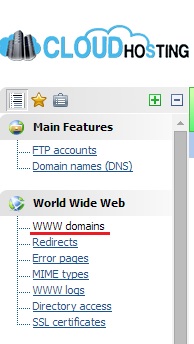
In the upper right corner select "Create WWW domain".

In the window that opens, fill the needed fields.
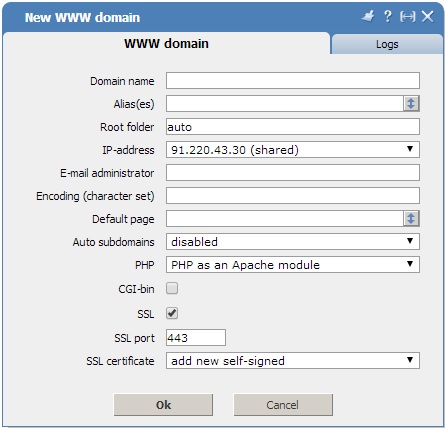
In the "PHP" field select "PHP as an Apache module", from the dropdown list.
If you have an SSL certificat, then tick the "SSL".
Once you're done, the server will restart and your domain will be added to hosting.